
Technology Overview
Virtual and Augmented Reality in Manufacturing
Contents
- Introduction
- Technical Terms
- Hardware Considerations
- AR / VR in Manufacturing
- Developing for AR / VR
Introduction
The purpose of this module is to introduce you to Virtual Reality (VR) and Augmented Reality (AR), and to outline the immense possibilities it brings to the world
of manufacturing. VR/AR allows users to be immersed in a virtual environment which accurately models physical systems, such as single robotic arms or entire
manufacturing cells. You could have a virtual environment with a robot arm interacting with a conveyor belt in a manufacturing cell, while a user, or a team of
users, oversee operations. The demo for this module allows the user to manipulate a 6 degrees-of-freedom (DOF) robot into different orientations to perform a
standardpick and place operation. Thus, it can be used as a tool to teach programming or as a testbed for various configurations of the work cell when AI is integrated.
Since Virtual and Augmented reality can be made multi-user by incorporating internet communication, it is possible to bring in experts from different geographic
locations to collaborate on the same project.
Technical Terms
To describe the world of AR and VR, we need to define some terms. This is based on the seminal work by Milgram.
Principal environment: This is the dominant source of the images of the objects that the user is observing or manipulating. The principal environment could
be virtual or real.
Augmented Reality (AR): This refers to the case where the principal environment is real, and the user has a see-through view of the real world which is augmented
with some virtual objects. A military pilot with some information on their Heads-Up Display (HUD) is a common example of AR. Another example is a robot model overlayed
in the see-through images of the real world as in the figure below. AR can be achieved on a head mounted display (HMD) or on flat screen, i.e. a tablet or smartphone.
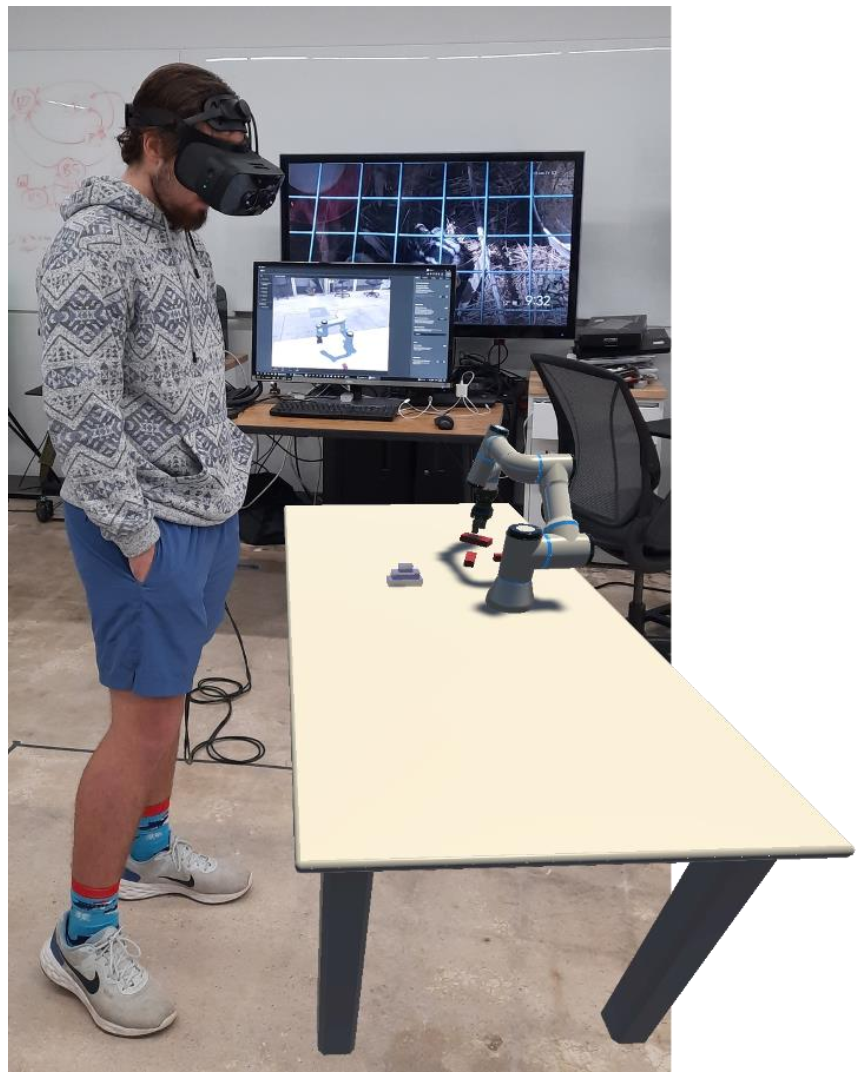
Figure 1. A robot arm and table are brought into a user’s environment as an example of Augmented Reality
Augmented Virtuality(AV): Augmented virtuality is similar to AR above, the only difference bing that the principle environment if virtual with some images of the
real world being brought in to the virtual environment.
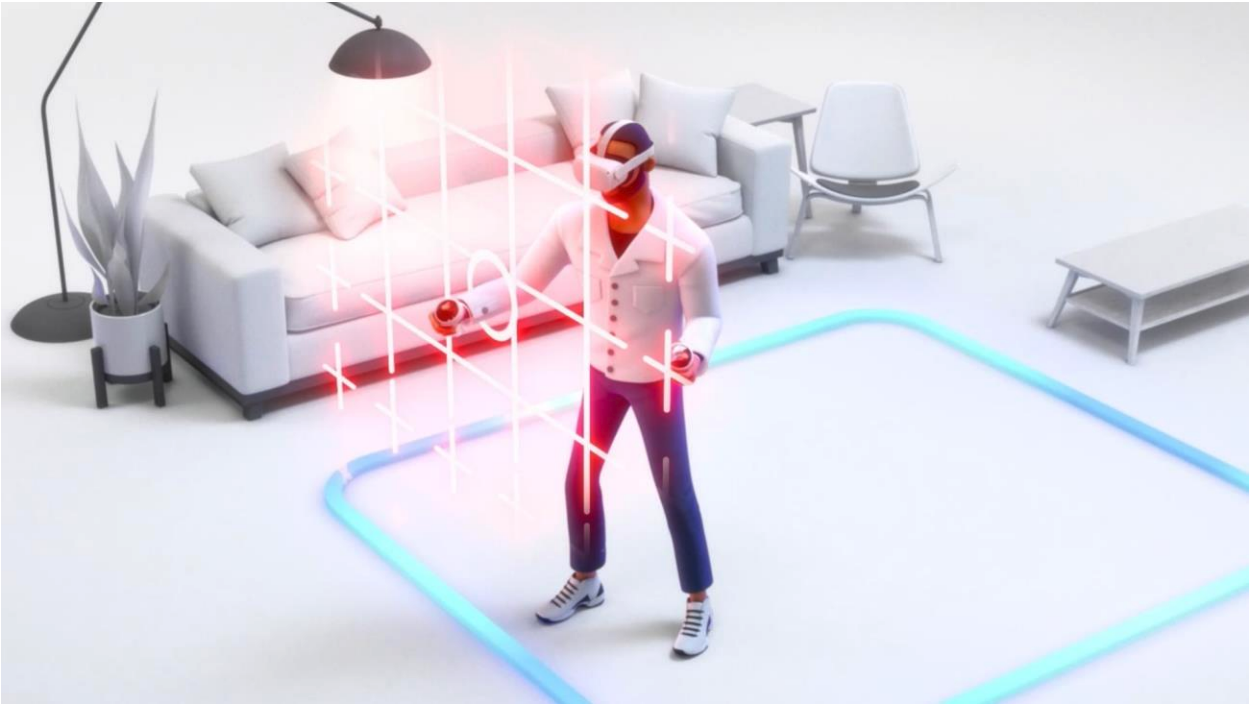
Figure 2. Example of augmented virtuality where the user is in a bounded virtual environment and is shows portions of the real world when the virtual boundary is
crossed
Virtual Reality (VR): In virtual reality, all the objects in the environment are virtual. Immersive virtual reality occurs when the user is immersed into the
virtual environment using a head mounted display.
Mixed Reality: A term used to capture the reality-virtuality continuum that is reproduced from Milgram’s work in the figure below.
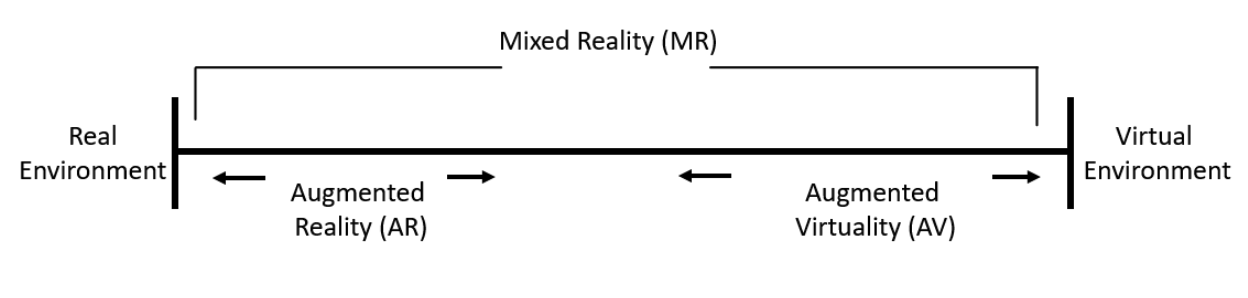
Figure 3. The reality-virtuality continuum showing where different terms fall along the spectrum between real and virtual environments.
In summary, Augmented Reality (AR) is a technology that overlays digital content, such as images, information, or 3D models onto the real-world environment,
enhancing the user’s perception of reality.
Virtual Reality (VR), on the other hand, is an immersive technology that completely transports users into a simulated, computer-generated environment.
AR typically utilizes devices like smartphones, tablets, or AR glasses to display the virtual elements seamlessly in the physical world. VR often involves the
use of specialized headsets and controllers to enable users to interact with and navigate within the virtual space.
Hardware Considerations
Now that we have our terms defined, it’s time to explore the mechanics that make VR / AR possible and the possibilities available when selecting a hardware
device for your needs. At a bare minimum, you need a display and, usually, some form of processing / computing to render images on the device.
Head Mounted Displays(HMDs)
HMDs are wearable devices that consist of a pair of small screens or lenses that display the virtual content and are positioned in front of the user’s eyes.
They are typically designed to provide a fully immersive experience by blocking out the user’s view of the real world and replaces is with computer-generated
images. These devices may also come with cameras and other sensors (e.g., accelerometers, IMUs) that track the user’s body motion and, in some cases, their
hands. Typically, they come with hand-held controllers for interaction, though some make use of cameras and hand tracking to detect a user’s hand gestures,
which are in turn used for interaction.
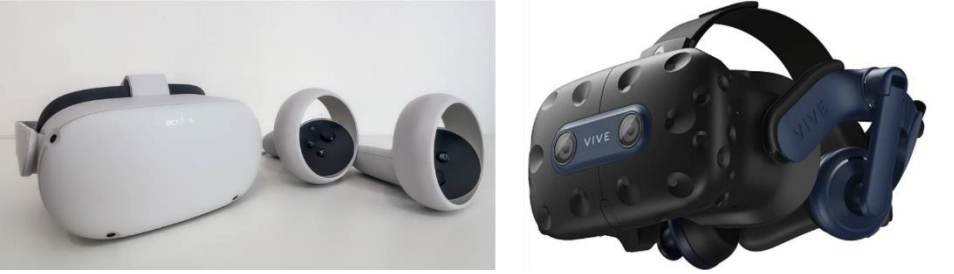
Figure 4. Head mounted displays, Oculus Quest 2 (left), HTC Vive(right)
Handheld Devices
Handheld devices provide a user with AR or VR experiences without the need for bulky equipment. The most common handheld devices are smartphones and tablets
which act as both the display and the processing unit.
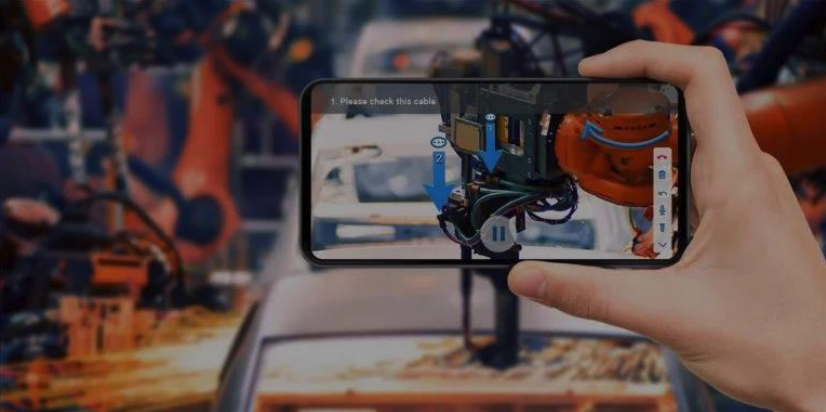
Figure 5. AR on a smartphone
Passthrough
Passthrough refers to the ability of a VR headset to provide the suer with a view of the real-world environment without the need to remove the headset. This is
typically achieved through front-facing cameras or through optical means. The main advantage of passthrough is that it gives a headset the ability to be either
an AR or a VR device. In addition, it can be used tin conjunction with guardian boundaries to help users avoid collision with real-world objects. If you want to
develop an AR system, an HMD with passthrough is a perfect pick.
Wired vs Wireless Headsets
Wired HMDs are tethered to a processing unit, like a computer, that performs the computing while the headset provides the display. Wireless headsets, on the other
hand, are self-contained and carry both the processing unit and the displays in one package. Wired HMDs generally ahve better performance, but they have restricted
mobility and take longer to set up. Wireless headsets, while giving lower performance, are easier to set up and offer greater freedom of movement.
AR / VR in Manufacturing
AR / VR can be applied in the following ways in a manufacturing environment:
- Immersive Training and Simulation
- Design and Prototyping
- Remote Collaboration
Developing for AR / VR
The process for developing an application for AR / VR is fairly consistent, whether you’re doing it for wired or wireless headsets. Once you pick your preferred
development environment, the outline for development is:
- Generate the world. This involves the creation of the 3D model of the world in a 3D modeling application like Blender or Autodesk Inventor.
- Once the world is ready, bring it into unity or unreal and add the locomotion and interaction behavior through scripts.
- Optimize for performance.
- Networking / communication
- Building / compiling the application for the targeted platform.